
Help/Jobs & scheduling/Using the Scheduler
Using the Scheduler
The Scheduler is a calendar view of everyone's visits, and the quickest way to book several jobs.
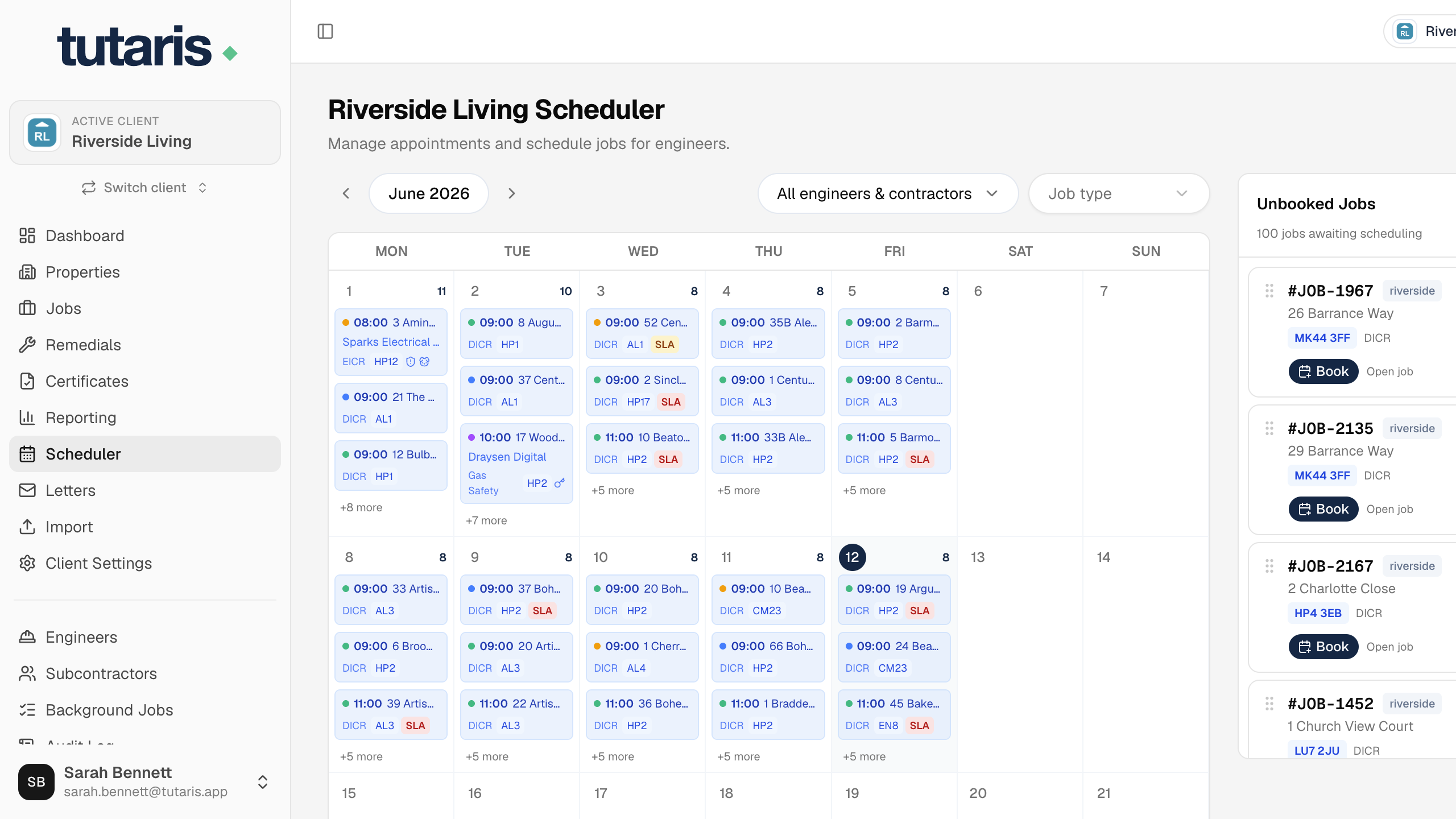
- 1In the menu, click Scheduler.
- 2On the right is the Unbooked Jobs list. Sort it by Wait (longest waiting) or Priority.
- 3Drag a job from the list onto the day you want in the calendar.
- 4Set the arrival time, choose who it is Assigned to, and confirm.
The visit appears on that day and the job becomes Booked.
Click any visit in the calendar to change its time, or drag it to another day to move it.
Still stuck? Email us and we will help.