
Help/Getting started/Finding your way around
Finding your way around
Tutaris has a menu down the left, and it works one client at a time. Here is a quick tour so you know where everything is.
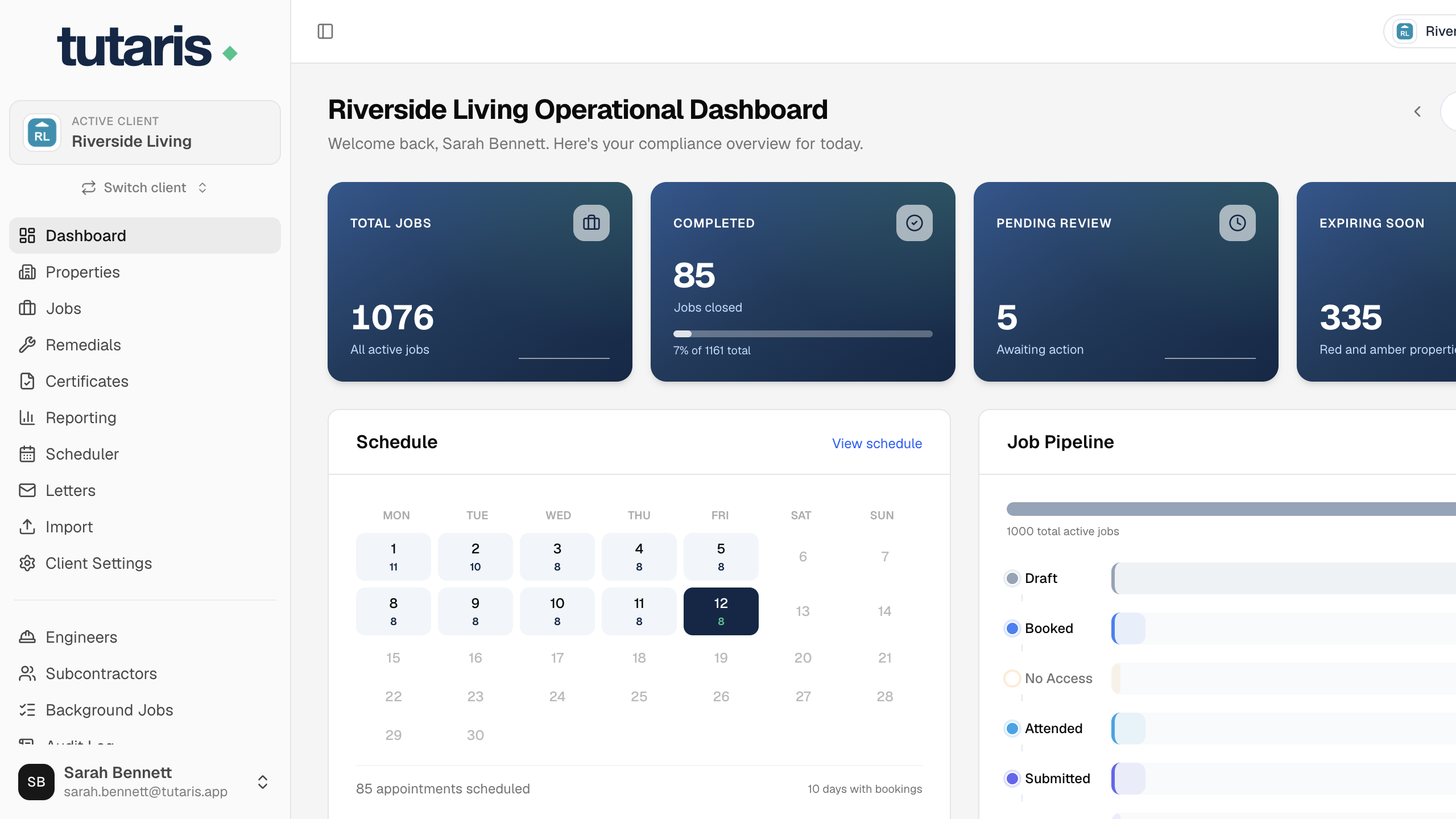
At the top left you will see the client you are working in, the active client. Everything you do applies to that client. Use Switch client to move to another one.
- Dashboard: your overview when you log in.
- Properties: every property for this client.
- Jobs: every compliance job and its current stage.
- Scheduler: the calendar for booking visits.
- Letters: the queue of letters to print and post.
- Remedials: issues found on visits.
- Certificates: completed certificates.
- Reporting: progress and figures.
- Import: add properties and jobs from a spreadsheet.
If a screen looks empty, check the active client at the top left. You may simply be in a different client.
Still stuck? Email us and we will help.